Thursday, October 6, 2011

Enable Facebook’s Timeline Feature Now


Facebook announced the launching of its new feature called Timeline - a new profile omnibus look that is like a story book of your life. During to its f8 conference, Mark Zuckerber emotionally delivered a speech with the changes of his website. Though it is not yet open to all, but facebook said that it will be for everyone in a couple of weeks, which may surprised or annoyed the users. But it really depends on that person if she/he likes it.Anyways, but right now i tried to explore more on this feature.

How to Enable Facebook Timeline?

I was curious about the walls talking to facebook timeline, i saw how to enable it. Though ive googled it the details i have found many sources. So to enable timeline, i put some steps here.

1. Login to Facebook Account.
2. Visit here first: (for more details of timeline:http://www.facebook.com/about/timeline) just in case
3. Below it, theres a sign me up button, if you are lucky one then celebrate and explore TIMELINE!
4. But If you see a display Timeline is coming soon, then continue...
5. Type and visit http://facebook.com/developers/ If you dont have experienced to make an application in facebook then its the right time. So you need to Allow developer app request for permission.

The easiest way to do this is just by typing "developer" in the search field. Simply click on the first app (it looks like the picture we've inserted above.) Once you click on the app, it will automatically take you to the developer portal.

Create a new app


You'll also have to enter a CAPTCHA to verify that you're a real person (even though you might not be a real developer.)

Name the app


Enable Open Graph


Name your Open Action


Return to your user profile


Once you return to your profile, you should have the prompt asking if you'd like to enable the new Timeline interface and make it public before it actually launches publicly.

And this will be the sample view of your Facebook Timeline:

How to Get On Facebook at School or Work even its block?


Whilst using the Google Keyword tool, I noticed just how many kids were searching for all of the search terms shown in the tag cloud to the right. This brought back memories of my own time at high school, which ended some 8 years ago now! I can remember the sheer frustration at not being able to check my hotmail emails or login to msn on my lunch break, of course it is all about facebook now...... so I will tell you kids exactly how to access facebook from school, using exactly the same method that I myself used all of those years ago - and one which still works perfectly. To be honest, I could not care less whether or not you little toe rags can check your facebook at school and you should be getting on with your work anyway, just call this satisfying payback to my own school.

How To Use Facebook In School......

The reason you cannot access Facebook at school is simple, your school has blocked that site by its URL. I would say that almost every school in the world would have done this. The way around this is to bypass the schools block, and in order to do this you need to find a proxy surfer. There are absolutely tonnes of these, thousands and thousands. The chances are that your school will have blocked many of those two, but no organisation in the world would have blocked every proxy on the Internet. A proxy works by allowing you to surf anonymously, so that the blocker does not even know you are using the schools Internet, therefore it wont prevent you from accessing any site at all.

And If YouTube Isn't Blocked, Then You Can Watch This.....

A List Of Proxy's That May Work

(I have not linked directly to these, you will need to copy and paste these URLs into your schools browser, adding www. or http:// before them.)

blockedsiteaccess.com

proxthis.com

turtlegymnastics.com

newestscooters.com

kproxy.com

invisiblesurfing.com

unblock.biz

proxypimp.com

anonymouse.org

schoolhammer.com

bigdoctoring.com

loginall.com


Another Way To Get On Facebook At School......

If you are having trouble finding a proxy that works to beat the block, there is another way that you may be able to access facebook from school. This is to install a piece of software called HotSpotShield, which can be downloaded fromHERE. If your school system allows the install (sometimes this is blocked too) then just click 'connect' when installation has finished, and you can browse any site that you wish. Be sensible with it though kids, I don't want to get you thrown out of school - you may be young, but that is no excuse to be a complete fool.

How To Unblock Facebook In School If Proxies Dont Work...

(I found this courtesy of a pc geek forum, don't ask me if you can't figure out how to use it)

Start > Run > cmd > ENTER

Type: "ping facebook.com"

right-click > Mark

Select the I.P. Address > Right-click

Open IE

Press CTRL+V > ENTER


Credits:

Shield VPN 11in1 v5 HSS+EXS+ProX+Areth+Raptor+Real+Xtream+Soft [98 Servers]

All-in-one VPN. Recommended for beginners
for 32-bit and 64-bit system

Shieldvpn 11in1


[Image: 11t65g8.jpg]

Features:
1. Taphss/Tap0901 auto-detection (auto-detect 32/64-bit, no external bat files)
2. Pinger (This time a real pinger)
3. Statistics
4. Randomizer
5. Auto save settings.
6. Auto-update (or manual via Support tab)
7. Flush (auto/disable)

Auto-save Feature:
1. Every time you connect the current configuration you select will automatically be saved including username & password.(Each account is stored separately)

Recommended port is automatically selected when changing server, protocol and network. But some say using an specific port makes their connection faster and also fix some connection problem(can't browse). You can manually select a port to connect to but there are no guarantees that it will always work.

Requirements:
1. A computer
- Recommended OS Vista,7
- .NET 3.5
2. Internet connection
3. Common sense

Tested on:
Win7 64-bit & WinXP 32-bit
.NET Framework 3.5

Download Version 5.1 (11in1):
http://www.mediafire.com/?albnomnfktn35x2
 Both 32-bit & 64-bit taphss/tap0901(v9.8) driver included.

Required files:

Download .NET Framework 3.5
http://www.microsoft.com/download/en/details.aspx?id=21
Download .NET Framework 2.0
http://www.microsoft.com/download/en/details.aspx?id=19


Credits:
89dufpoqidjv for HotspotshieldExpatshieldRealVPN and wePNconfigs
wrobe22840 for the ports
layzkie03 for ProXPN configs
Kimrashid for the misc configs
redanrazote for RaptorVPN <- salamat kay insein12 para sa paghingi ng permiso.
bimbi for SoftPhoneVPN configs
blarehead for XtreamVPN <- wala permiso nilagay ko lang since XtreamVPN user ako.
JoeWolf for iPrivo configs

How to Update Twitter via SMS/Text Philippines (@tweetitow’s Smart & Globe & Sun Numbers)


Hola! Philippines only...

Welcome to @tweetitow's web app. I know, there's nothing here, apart from registering your account for OAuth.

To start, click on the sign-in with twitter button below. If it's your first time you'll be asked to authorize the @tweetitow app (that's us) to have access to your Twitter account.
Sign-up now!


News

We have a new SMS gateway for Globe users (globe users only). Please send tweets to 23737033. Note, only send tweets to this number, SMS commands (like /on, /credits) *do not* work yet. This is a super fast, super fly gateway.

We also have experimental MMS support. You need to be registered to use this feature. Send an MMS (supports body message and attached pictures for now) to2373, and set the subject of your MMS message to 7033.

This new SMS and MMS gateway is in*BETA* stage. Meaning, there's a slight chance your tweets will get lost along the way (we do try our best, very very best, that this will not happen). During the *BETA* stage, it cost nothing, zilch, zero to send a message to the gateways. YES, zero. However, once we come out of BETA stage, it will start to cost something (we hope we can keep it to 1 peso per message).

PLEASE REGISTER via http://app.tweetitow.com now.

!!!The way of registration below is phased out:!!!

@tweetitow’s official website, http://tweetitow.com, is now up. You can get more updated information from tweetitow.com.

@tweetitow is 3rd-party twitter application which lets you send and receive twitter updates via SMS or text here in Philippines. To get started, simply register your twitter username and password to any of the following numbers.

Smart number 0918-419-4904

Globe number 0927-338-9183

Sun Number 0923-986-0673

Format for registering: REG username password

Example: REG junpyoo flowers

Now to receive your mentions and direct messages or other users’ twitter updates, you need to go online after you register to @tweetitow. To start receiving updates, following are steps:

1. Send /on to any gateway numbers to go online. Once you are online, you can then receive your DMs and mentions.

2. To receive other users updates, send the command key in this format:/follow @user1 @user2 @user3

You can follow up to 8 users. To stop following a user, send: /leave @user

3. To go offline, send: /off

Please note that once you go online again, you need to follow again the users. If you want to maintain the people you follow but you want to stop receiving updates for the meantime, then use send: /hold

Following are complete list of command keys you can use regarding receiving updates:
/on -> To go online and start receiving updates — mentions and DMs.
/off -> To go offline. This means you will stop receiving updates.
/credits -> To check how many credits you still have.
/follow @user1 @user2 @user3 up to 8 users -> To start receiving updates from the user you follow. At the start, you will only receive mentions and DMs updates. If you want to receive tweet updates from a particular twitter user, you need to activate receiving updates from them. Example format, /follow @tweetitow.
/leave @user -> To stop receiving updates from a particular activated user.
/followstats -> To get a list of the twitter users you activated to receive updates from your phone.
/hold -> Hold sms updates. Similar to the command /off except that the settings and user you activate to receive updates from the last session are keep.
/resume -> To resume your session, and receive updates again from your phone.
/whoami -> To verify what twitter account you registered to T2.
/give @user -> To give another @tweetitow registered user some of your credits. Giving is sharing is loving.
/whatsnew -> To retrieve the 5 recent updates (from the last 24 hours) from any of the people you follow (including those you did not turn on to receive updates from your phone). To receive another 5 recent updates, simply send /whatsnew again — the 5 older tweet updates will be sent to your phone.
/whatsnew @user -> To retrieve the 5 recent updates of a user from the last 24 hours.

Send the command key to any of the gateway numbers for execution.

For a more detailed steps and information, please check the help page oftweetitow.com. If you need more help, please message @owrange or@tweetitow.

Happy tweeting with @tweetitow!

Please click here to go to the next page for more details. For information on how to receive twitter updates from your phone, please click here.


Raptor VPN: Tested Fastest Free Unlimited Bandwith VPN


Reference Only!

Create/Register your account here: http://www.raptorvpn.com/api/form.php

Please check po ang email pagkatapos magregister para i-confirm yung account ninyo. Ang email at Password niyo po sa Pagregister ay yun na din gagamitin niyo sa pag-log in sa mga Server ng Raptor!

Update as of August 14, 2011 03:40AM::RaptorVPN: "We have made some changes just now to server 108.59.8.135 - let us know if you still get this error on this server. If it works we will push updates to all servers."

(Pwede niyo i-download na lang 2 na version para po makita kung ano mas stable sa inyo)

Latest RaptorVPN Portable Version here!

Copy and Paste Config url here!

PINAKA-IMPORTANTENG BABALA!: HUWAG NA HUWAG MAG-TORRENT! MARAMING WEBSITE DIYAN NA KAHIT IDM LANG GAGAMITIN OR DIRECT LINK DOWNLOAD NA..
PAALALA LANG PO:Basahin ng masinsinan at dahan-dahan ang Tutorial ko po tungkol po dito sa New Update, Dahil isang pagkakamali niyo lang siguradong hindi ka na talaga makaka-konek.


Note: This image has been re-sized, Please click the image below to view the entire photo.


1. Balik Simple po tayo, easy as ABC!


2. Problem for Smarty users using Old Version and 2nd Version: "ifconfig" 80% at Receive Rate upto 60%.Sa Globobito mababa chance magpakita si "ifconfig" error, nasa 90% chance na mag connect na wala "ifconfig" lalo na sa UDP

3.Balik ulit sa dating Dial #: sa GLOBOBITO UDP: *99***1# sa GLOBOBITO TCP: *99# sa SMARTY:*99# Kung ayaw talaga kay Globobito mga dating Dial # sa inyo Ito muna gamitin niyo..*99**p1# , yan gamit ko sa Testing

4. Kapag Hindi kayo kontento sa Smart Http Proxy po ay pwede niyo palitan na lang ng working proxy port 80 or 8080

(pwede kayo maghanap working proxy port 80 or 8080 sa http://cool-proxy.net)

5. Kapag nag error "ifconfig" po ay huwag niyo i-reconnect, disconnect niyo po sa server kung saan nag "ifconfig" error at connect sa ibang server.Ganun din po kung Hindi kayo makapag Browse sa Internet.

 Note: This image has been re-sized, Please click the image below to view the entire photo.


ANG MGA REMOTE SERVER NA ITO AY TESTED NA PO NA GUMAGANA.PALITAN NA LANG REMOTE SERVER SA CONFIG NATIN KAPAG LAGING TCP PORT TIMEOUT NA SIYA SA PAG-CONNECT

Remote Server for Smart and Globe TCP
208.43.150.122 443
208.43.150.120 443
174.37.190.77 443
208.43.150.121 443
108.59.8.135 443
208.43.150.123 443

Remote Server for Globe UDP
108.59.8.135 443 May oras na sarado dahil sa pagka-abuso
174.37.190.77 443

 Note: This image has been re-sized, Please click the image below to view the entire photo.


Before running PortableVPN, make sure your computer is safe and risk free of any kind of viruses.

Download HERE if you want Antivirus and Antispyware Software.

Please download the RAPTOR GLOBE AND SMART TUTS attached file below for other instruction(s).

------Required adobe reader version 8 or higher to open the pdf file------

*If you are using Vista/Windows 7, please run Raptor PortableVPN as "administrator" and Compatability mode "WinXP SP2"

* UDP is faster, but sometimes doesn't work
* TCP is slower, but always works well

1.Added UDP Setting
* Dashboard APN: http.globe.com.ph
Dial Numbers: *99**p1#
*99***1#
*99*#

2. Added 2 Stable Setting for Globe TCP
*Dashboard APN: www.globe.com.ph
Dial Number: *99#
*99**p1#

3. Added SmartBro Setting with Working Proxies

*If you are new about VPN, the original SmartBro Sim may not work, Remove and change it to SmartBuddy Sim.

=Create a New Profile name at the Setting TAB

*Dashboard APN:internet
Dial Number: *99***1# or *99#
Config Name: "any name you want"
==============================================

REMINDER:
=YOU ARE CONNECTED BUT YOU CAN'T BROWSE THE INTERNET?

*Bago po mag-connect sa dashboard at i-connect ang vpn ay mag ipconfig/flushdns muna po tayo.

Problem Solution 1: Disconnect the VPN and Connect or Disconnect VPN and Dashboard then Connect again.

Problem Solution 2: For Globe TCP Users: Disconnect TCP1 and Connect to TCP2 or Disconnect TCP2 and Connect TCP1

*For the "ifconfig" Error please Disconnect the VPN and try to Connect again until you can successfully connect to the Server.

CREDITS: Sir drwang12, Sir futek, Sir simkad, Sir shadowX, Sir zij08, Sir jdGRAFIX at sa lahat ng mga ka symb na laging nandito para i-up at nagbibigay tulong sa thread na ito.
 Note: This image has been re-sized, Please click the image below to view the entire photo.


You can join Raptor VPNiers Group Here if you like:
http://ns7.symbianize.com/group.php?groupid=481

Attached Files
File Type: txtNew Siggy.txt (169 Bytes, 2907 views)
File Type: rarRAPTOR VPN GLOBE AND SMART TUTS.rar (798.0 KB, 12383 views)
File Type: rarOpenVPN CMD Tools v.1 by-RAR.rar (1.4 KB, 3376 views)


Credits:
redanrazote

XTREAM VPN (Free Internet to Globe Tatoo and SmartBro users)


XTREAM VPN provides another layer of security for your public network connections such as Public Wifi Hotspot and safeguards your surfing habits by masking your real IP making you anonymous. It also Unblocks applications (ie SKYPE) and other geographical filtering sites (ie HULU.COM, VEVO.COM)

Free Internet to Globe Tatoo and SmartBro subscribers...


Getting Started

Prerequisites: 
1. Xtream VPN GUI 1.0
2. Microsoft .NET framework 2.0 or Higher
3. Valid username and password
4. Working (live) Internet Connection 
(Globe Tattoo, Smart Bro, DSL, WiFi) 


Download it here:

Xtream VPN Version 2.0 for Windows XP/Vista/7September 3, 2011

Microsoft .NET Framework 2.0 for Windows XP Clients

HOW TO USE:

1. Download Xtream VPN Installer - for Windows 7/Vista download Version 1.x, for Windows XP download 1.xa included with NET Framework 2.0
2. Install Xtream VPN 
3. Open Xtream VPN found on your desktop. For Windows 7/Vista right click and Run as Administrator.
4. Allow Installation of TAP adapter. If you are previously using other Openvpn softwares Open Settings Window, Under Tap Driver Click Remove TAP and wait for Remove Success Prompt. Click Add and Allow Installation of Latest Tap adapter.
5. Enter your Username and Password. Provide a valid username and password on the Account Window
6. Choose the Right Protocol and Select your Preferred Server
7. Press Connect. Once Connected, You can now Browse the Internet Securely!
8. Automatic Update - the server will automatically download updates from the server if present.

Servers Allowed for Torrent :
Server 11 - 21
Using Torrent other than Specified Servers is Prohibited. You Might get Banned!

Free Server: 
Server 12
Connect to Free Server when your account stuck on other Servers 
Wait for less than 2 hours and your account will be automatically unstacked 

PH Server:
Server 29 
Premium accounts can connect to the PH Server
Bandwidth Limit is 900mb per month per user


For Technical Support

Contact:
YM: bhpcservices@yahoo.com
Email: bhpcservices@yahoo.com

Android Games and Applications


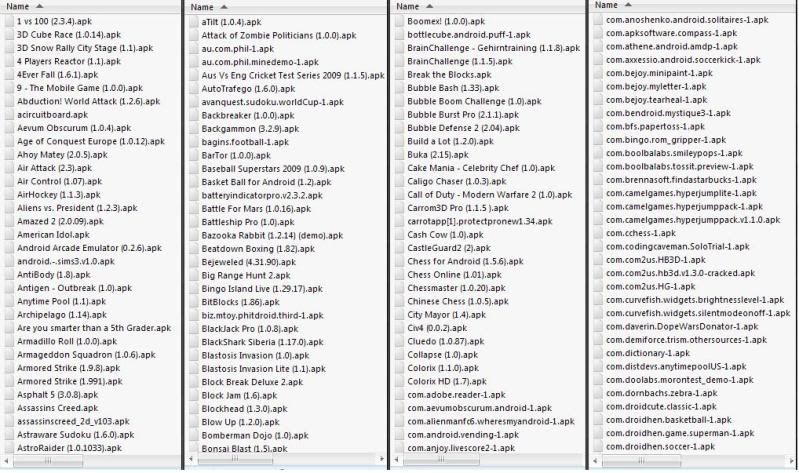
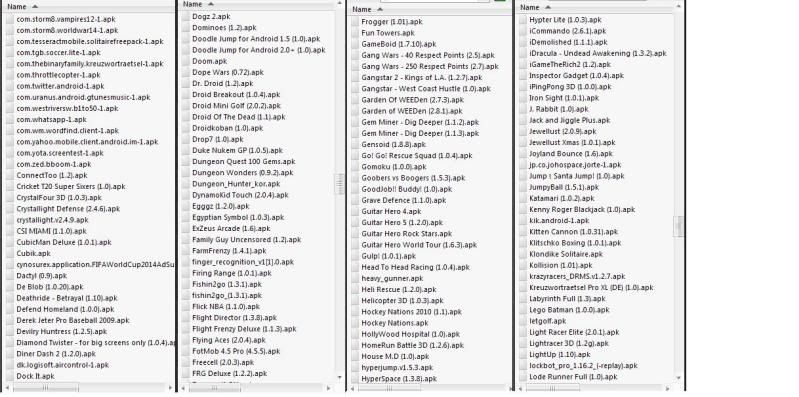
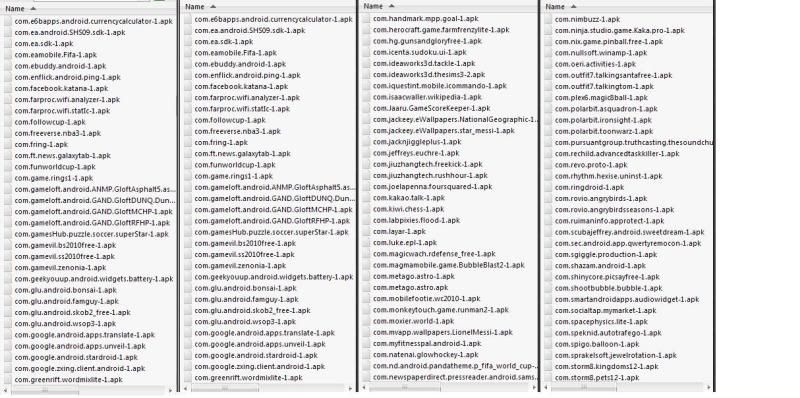
Complete Package Applications (Full / Cracked) with (Games, Applications, Anti Virus, Camera / Video, Reference, etc) even any Android based gadgets work it out. over 600 apps and games.

Procedure :

1. Put the apps and games in your memory card and if inserted on your android device, locate the icon "MY FILES" or find the icon to which you browse the contents of the memory card, then search the folder and find games and applications with (. APK) at the end.

2. Once you see the games and applications, you just pick and INSTALL and then double-click the selected games / apps and installing automatic in your unit.

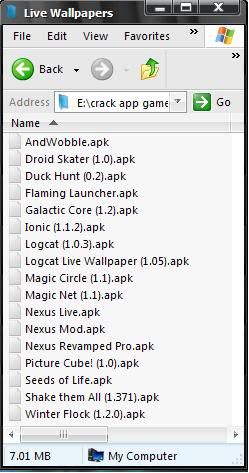
Apps and games list.

Note: Click the image below to see the entire image.


and more.....


DOWNLOAD HERE:
part1, part2, part3, part4, part5, part6, part7, part8, part9, part10,
part11, part12, part13, part14, part15, part16, live wallpaper,.......

iPad, iPhone, FIRMWARE= 2G, 3G, 3GS, 4G, iPod Touch & Apple TV


Note: Links Font is in the color of BLUE, RED or ORANGE.
Apple TV


IPAD1 WIFI = 3G


IPAD2 WIFI+3G


IPAD2 CDMA


2G


3G


3Gs


4G CDMA


4G GSM


IPOD TOUCH 1G


IPOD TOUCH 2G


IPOD TOUCH 3G


IPOD TOUCH 4G


Tools Software for (JAILBREAKING)

RedSn0w 0.9.4 for iOS 3.1.x [ Windows ] [ Click here ]
RedSn0w 0.9.4 for iOS 3.1.x [ MacOS ]
RedSn0w 0.9.6rc8 for iOS 4.1 - 4.2.1 [ Windows ] [ Click here ]
RedSn0w 0.9.6rc8 for iOS 4.1 - 4.2.1 [ MacOS ]
RedSn0w 0.9.6rc12 for iOS 4.3.1 [ Windows ] [ Click here ]
RedSn0w 0.9.6rc12 for iOS 4.3.1 [ MacOS ]
RedSn0w 0.9.6rc14 for iOS 4.3.2 [ Windows ] [ Click here ]
RedSn0w 0.9.6rc14 for iOS 4.3.2 [ MacOS ]
RedSn0w 0.9.6rc16 for iOS 4.3.3 [ Windows ] [ Click here ]
RedSn0w 0.9.6rc16 for iOS 4.3.3 [ MacOS ]
RedSn0w 0.9.6rc17 for iOS 4.3.3 [ Windows ] [ Click here ]
RedSn0w 0.9.6rc17 for iOS 4.3.3 [ MacOS ]
RedSn0w 0.9.6rc19 for iOS 4.3.3 & 4.2.8 [ Windows ] [ Click here ]
RedSn0w 0.9.6rc19 for iOS 4.3.3 & 4.2.8 [ MacOS ]
RedSn0w 0.9.8b3 for iOS 4.3.4 [ Windows ] TETHERED [ Click here ]
RedSn0w 0.9.8b3 for iOS 4.3.4 [ MacOS ] TETHERED
RedSn0w 0.9.8b1 for iOS 5.0b1, 5.0b2, 5.0b3 [ Windows ]
RedSn0w 0.9.8b1 for iOS 5.0b1, 5.0b2, 5.0b3 [ MacOS ]
RedSn0w 0.9.8b2 for iOS 5.0b3 [ Windows ]
RedSn0w 0.9.8b2 for iOS 5.0b3 [ MacOS ]
RedSn0w 0.9.8b4 for iOS 5.0b4 [ Windows ]
RedSn0w 0.9.8b4 for iOS 5.0b4 [ MacOS ]

for RedSn0w : FIX Bundle for iPhone 4 Verizon (CDMA) : 4.2.6 / 4.2.7 / 4.2.8
for RedSn0w : [ Click here]


SpiritJB for iOS 3.1.2 / 3.1.3 / 3.2 [ Windows ] [ Click here ]
SpiritJB for iOS 3.1.2 / 3.1.3 / 3.2 [ MacOS ]


JailbreakME 2.0 for iOS 3.1.2, 3.1.3, 3.2, 3.2.1, 4.0, 4.0.1 [ browse using your iDevice & select version you have on your iDevice ] / for OFFLINE - DRAG & DROP must have iBOOK APP 

JailbreakME 3.0 for iOS 4.3.3 browse using on your iDevice ]


Sn0wBreeze 2.8b4 for iOS 5.0b3 [ Windows ] UnTethered - 3GS OLD BOOTROM
Sn0wBreeze 2.8b3 for iOS 5.0b2 [ Windows ] UnTethered - 3GS OLD BOOTROM
Sn0wBreeze 2.8b2 for iOS 5.0b1 [ Windows ] UnTethered - 3GS OLD BOOTROM
Sn0wBreeze 2.8b1 for iOS 5.0b1 [ Windows ] TETHERED
Sn0wBreeze 2.7.3 for iOS 4.3.3 [ Windows ] Support iOS 4.2.8 & AppleTV2G 4.2.2
Sn0wBreeze 2.6.1 for iOS 4.3.2 [ Windows ] Support iOS 4.2.7 - Verizon
Sn0wBreeze 2.5.1 for iOS 4.3.1 [ Windows ]
Sn0wBreeze 2.2.1 for iOS 4.2.1 [ Windows ]
Sn0wBreeze 2.1 for iOS 3.2.2 / 4.1 [ Windows ]
Sn0wBreeze 2.0.2 for iOS 3.1.x / 4.0 [ Windows ]


SHELL TOOLS FOR IPHONE IPOD IPAD FROM SOME OTHER FRIENDS


Jailbroken_Quick_Tool_1.5.1 - BY: whiteSATAN
JailbreakMO - BY: whiteSATAN


MultiGesture ENABLER with DEPENDENCES ] BY: RNC_EBM


iPod Touch 3G 
iPod Touch 4G
iPhone 3GS
iPhone 4
= iPad


[ INSTALOUS ] BY: RNC_EBM


AppSync v1.1.5 for iOS 4.x
  

cydia.hackulo.us cydiahackulous


iTunes 10.5 - TORRENT

SMS TONE BY: TOCHITS

Tri-tone - sms-received1.caf - Car Alarm
Chime - sms-received2.caf - Bili na Hopya Mani Popcorn.
Glass - sms-received3.caf - Rage Against the Machine(Bombtrack)
Horn - sms-received4.caf - Axe (i like the Party)
Bell - sms-received5.caf - Techno (Satisfaction)
Electronic- sms-received6.caf- Baby Laugh

message_alerts - PW: irttochits

Open run ifunbox software
1 connect device - device name will appear
2 collapse the Raw File System
3 Collapse the System
4 collapse the Audio
5 Click the the UISounds
6 paste the SMSTONES on ifunbox window


                                           Check your SMSTONES
                                      go to Settings/Sounds/Text Tone/

Text Tone Content (check your tone by selecting any.)

INSTALL(Apps,Ringtones,Pics,Appsync,Etc.) Using IFUNBOX. BY: TOCHITS 

PASSWORD: irttochits

NOTE: YOUR iDevice must Jailbroken...

To those user that NO WiFi this will be the alternative solution.

This will be the solution also for not losing those already in the iPhone store.


INSTALLING TWEAKS
first before installing crack apps
you have to install APPSYNC depend on device IOSW version
in v4.2.1 to v4.3.3 i use appsync4.0+ and intallous 4.0+(have own folder)
see pic

ALSO THIS IS THE PROCEDURE OF UNLOCKING
Ultrasnow12&mobilesubstrate idevices v4.1 to 4.2.1
Ultrasnow123&mobilesubstrate idevice v4.3++
1. collapse Raw file system
2. open private
3. open var..
4. open root
5. open media
6. Inside Media folder,create new folder and rename it "Cydia"
7. Inside Cydia folder,create new folder and rename it "AutoInstall"
8. Inside AutoInstall folder,extract or paste the two files you download
for unlocking.. then reboot twice..

After installing APPSYNC

INSTALL APPS

You should have apps. DOWNLOAD HERE   
                                                         PROCEDURE
                                                         Open iFunbox
click idevice name
click Install Apps Tab
                                                   Browse your APPS
                                                     and double click
                                                CHECK YOUR APPS
                                                    click idevice name
                                    Double click User Application on window


RINGTONES
                                                     open IFUNBOX
                                                    click iDevice name
                                              click Ringtones on window
Drag your ringtone on RINGTONES window
Download and another Procedure

Latest RNB iPhone Ringtones.2011[iPhone Research Team]


PICTURES and IMAGES
Open IFUNBOX
click idevice name
click CAMERA icon on window
COPY TO iPhone
Drag your image on CAMERA window

Copy to PC
right click image
click copy to PC

Twitter Delicious Facebook Digg Stumbleupon Favorites More